Non-Astro Frequent Buyer Programs | Astro Retailers
What is a Non-Astro Frequent Buyer Program?
These are programs that are built at the request of a retailer for a brand that does not have an Official published program on Astro. Astro in no way guarantees fulfillment of these programs, this is the retailer's responsibility to secure for themselves. These are all considered Retailer-Self Fulfilled programs, so they do not report direct to a distributor, instead they generate reports under Retailer Free Goods Credit Batches that you can export and email to whomever you have worked out a fulfillment agreement with (in most cases retailers work out a deal with their brand rep). Any Private label frequent buyer programs will fall under this category as well.
How to Request a Non-Astro Program:
1. As an Admin User, click on the Frequent Buyer menu located at the top of your Astro homepage.
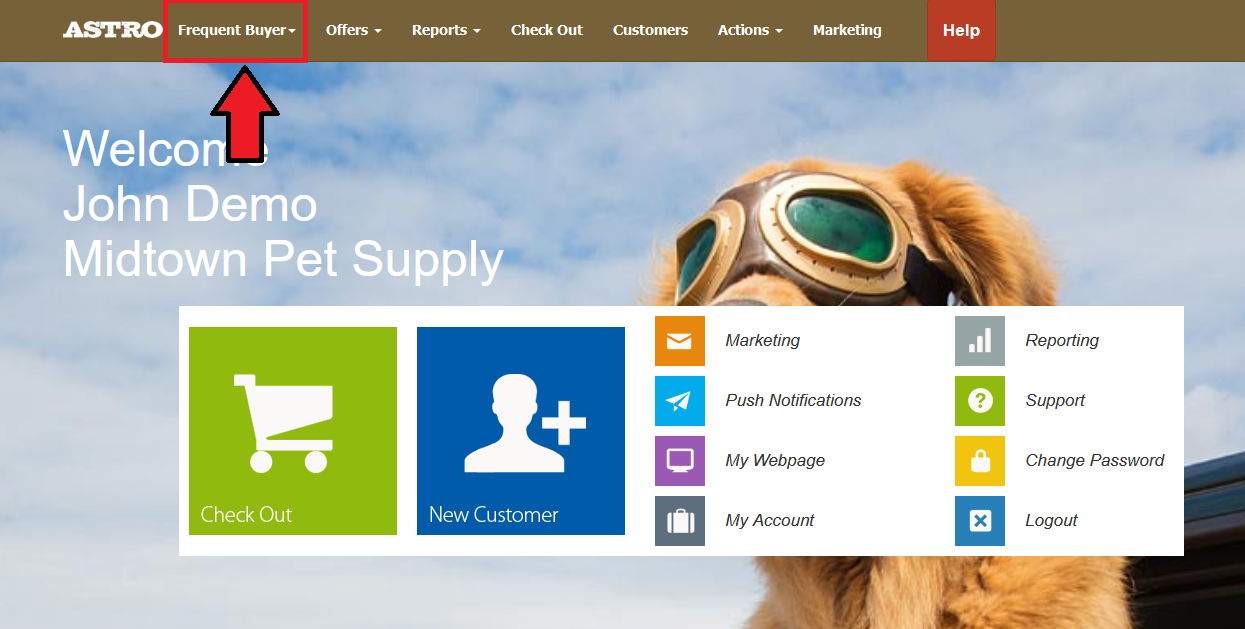
2. Select Available Astro Frequent Buyer.
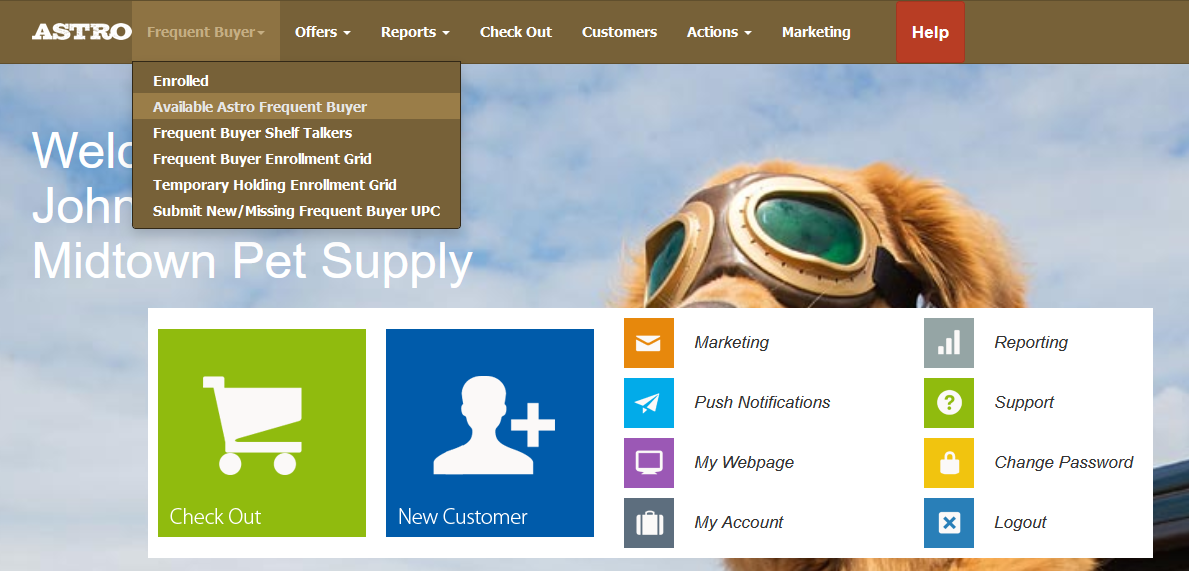
3. If you do not see a manufacturer sponsored program that you are looking for click on Request a Program located at the top of the list of available programs.
4. This will bring you to a text box where you can enter the specifics of the program you were looking for. Please include as much info as you can.
5. Submit the Request. This will send a ticket to the Help Desk to our Support staff. Our Support team will get back to you as quickly as possible about your request.
6. Once a Non-Astro program has been made available to you, you can enroll in the program from your Frequent Buyer menu > Available Frequent Buyer Program.

Here is an Article with more information: How to Enroll in Frequent Buyer Programs
7. The redemptions for a Non- Astro Program will compile on your Retailer Free Goods Credit Status Report on your Reports menu.
Here is an article on how to process those redemptions: Retailer Free Goods Credit Batches | Self-Fulfillment Walkthrough
Pricing:

Non-Astro Frequent Buyer programs are $10.00 for the first location and $2.00 for each additional location per program per month.
When enrolling in a Non-Astro program, you will be prompted with a notice of the fee and must check the box in order to enroll in the program.
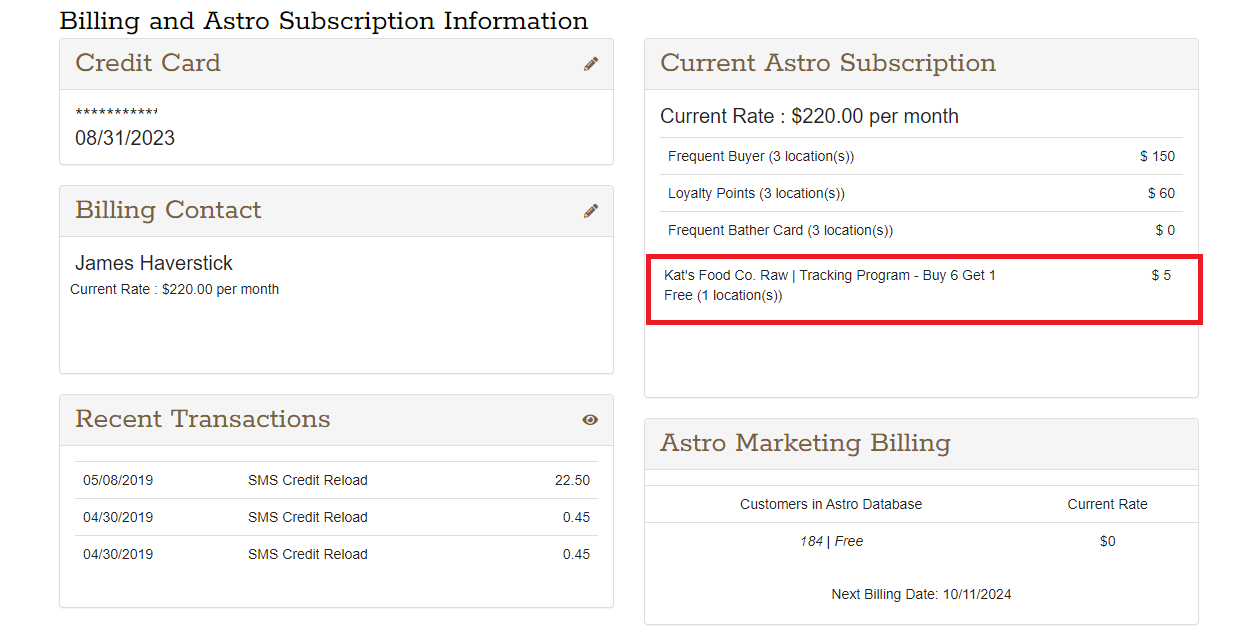
The Primary Billing Admin user on the account can view the billing for these programs on the Actions menu under Billing Information.
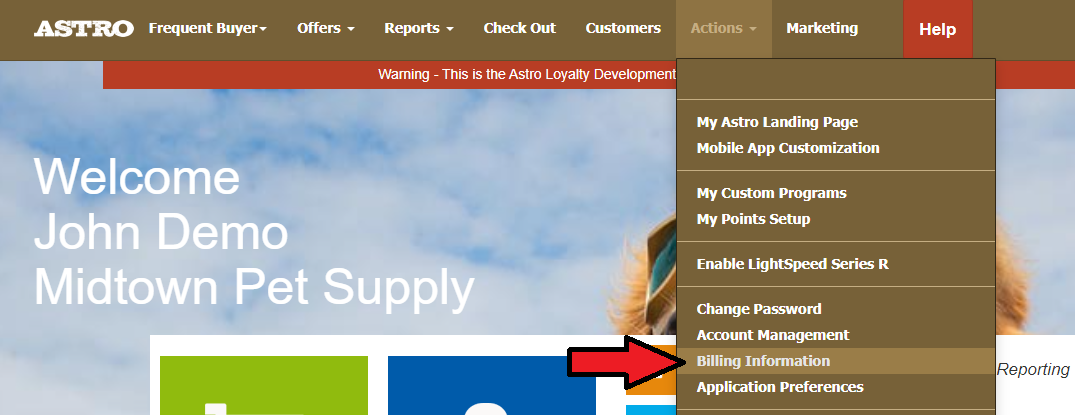
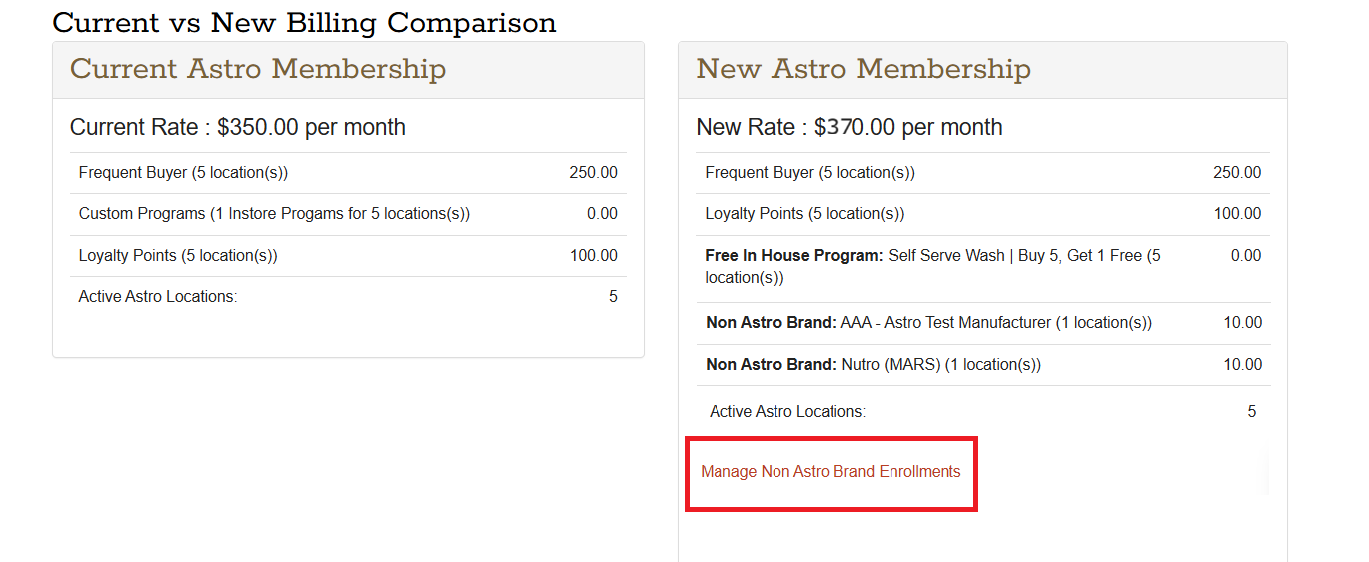
You will see the charges for any Non-Astro Frequent Buyer program that your store(s) is enrolled in under Current Astro Subscription section.
Unenroll from Non Astro Branded Programs:
If you no longer want to participate in a Non-Astro Frequent Buyer program, you can deactivate the program.
1. The Primary Billing contact Admin user can go to Actions.
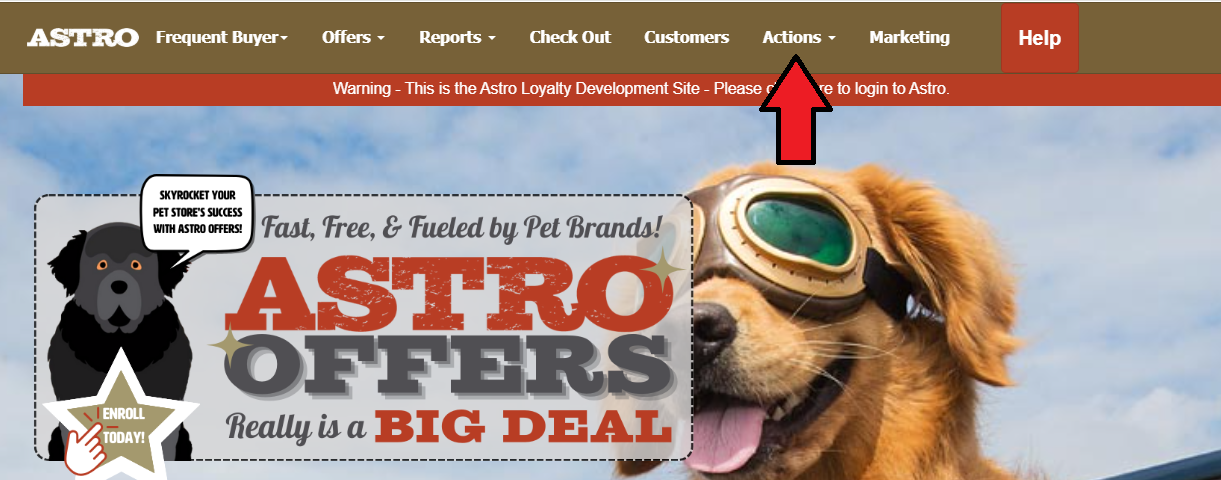
1. The Primary Billing contact Admin user can go to Actions.
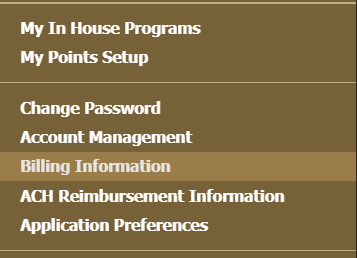
2. Select Billing Information.
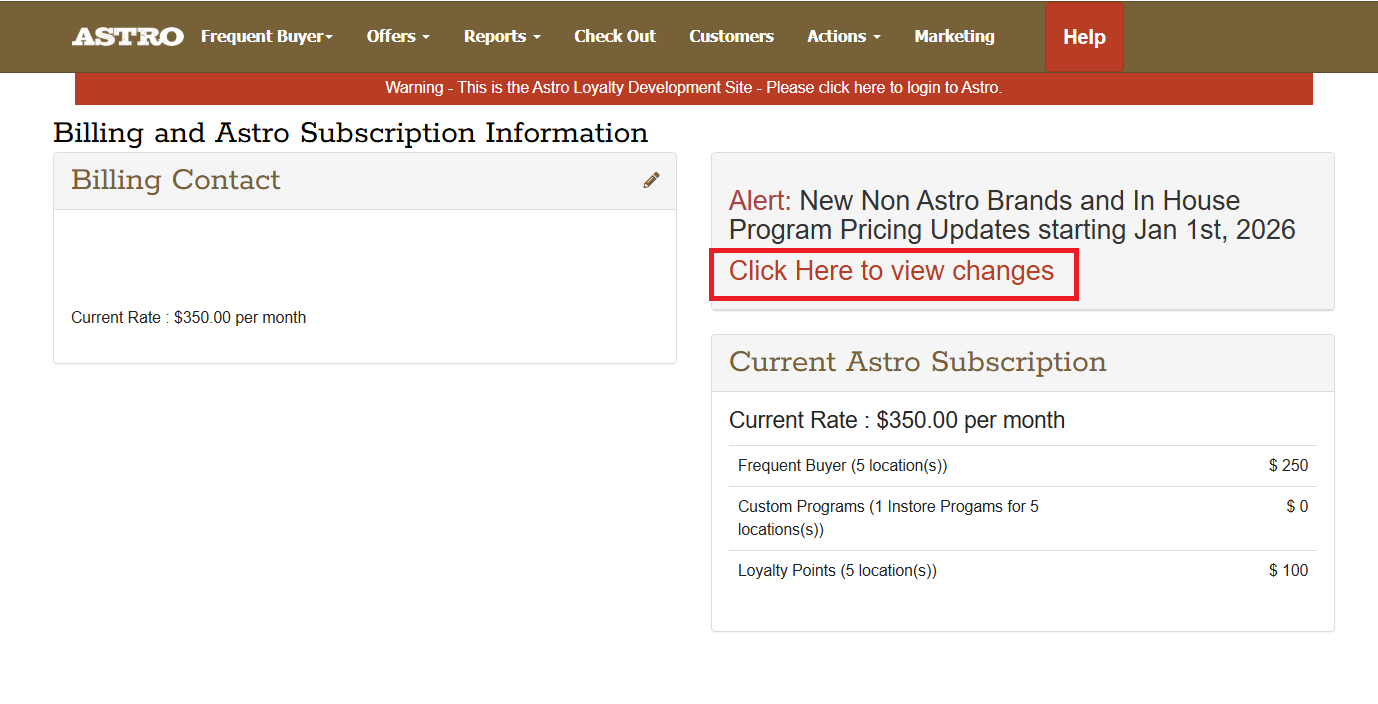
3. Select to View Changes.
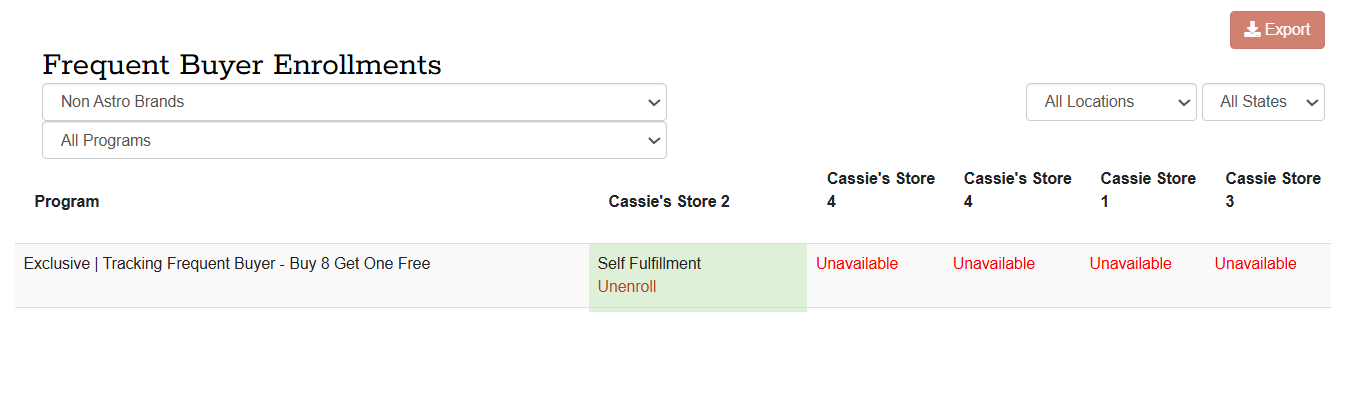
4. You will see a breakdown of all Non-Astro Brand programs you are enrolled in. You can click on Manage Non Astro Brand Enrollments to unenroll from the programs.
5. You will see an Enrollment Grid page. Click the Unenroll button. If you have a Multi-location account, you will be able to unenroll any of your locations from the program.