Redeem Rewards | Epicor PROPELLO Partial Integration

Epicor Propello Integration ONLY

To enable the integration on the Epicor Propello side, please contact your Epicor Customer Account Manager for assistance.
To have the integration enabled on your Astro account, please contact our support team; support@astroloyalty.com
1. Add the customer to the Propello sale.
2. Add the customer's item(s) to the sale.
3. Click the Astro Loyalty button.
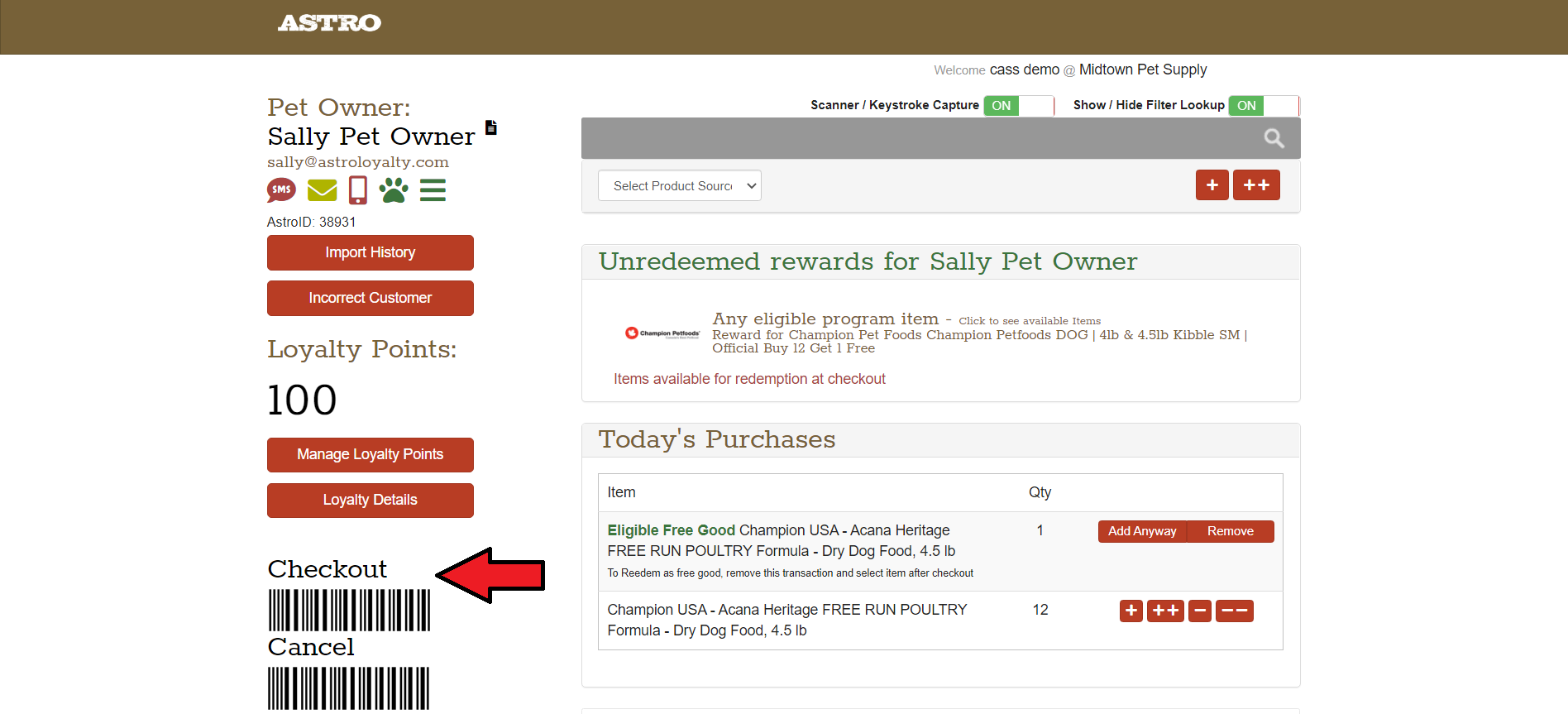
4. In Astro, it will show if the customer has earned a reward under Unredeemed Rewards. It will also show under Today's Purchases that the item is eligible as the free good item.
5. Select Checkout
6. Depending on the program, the customer's email or address may be required by the manufacturer to redeem the frequent buyer card. So you may see this pop-up:
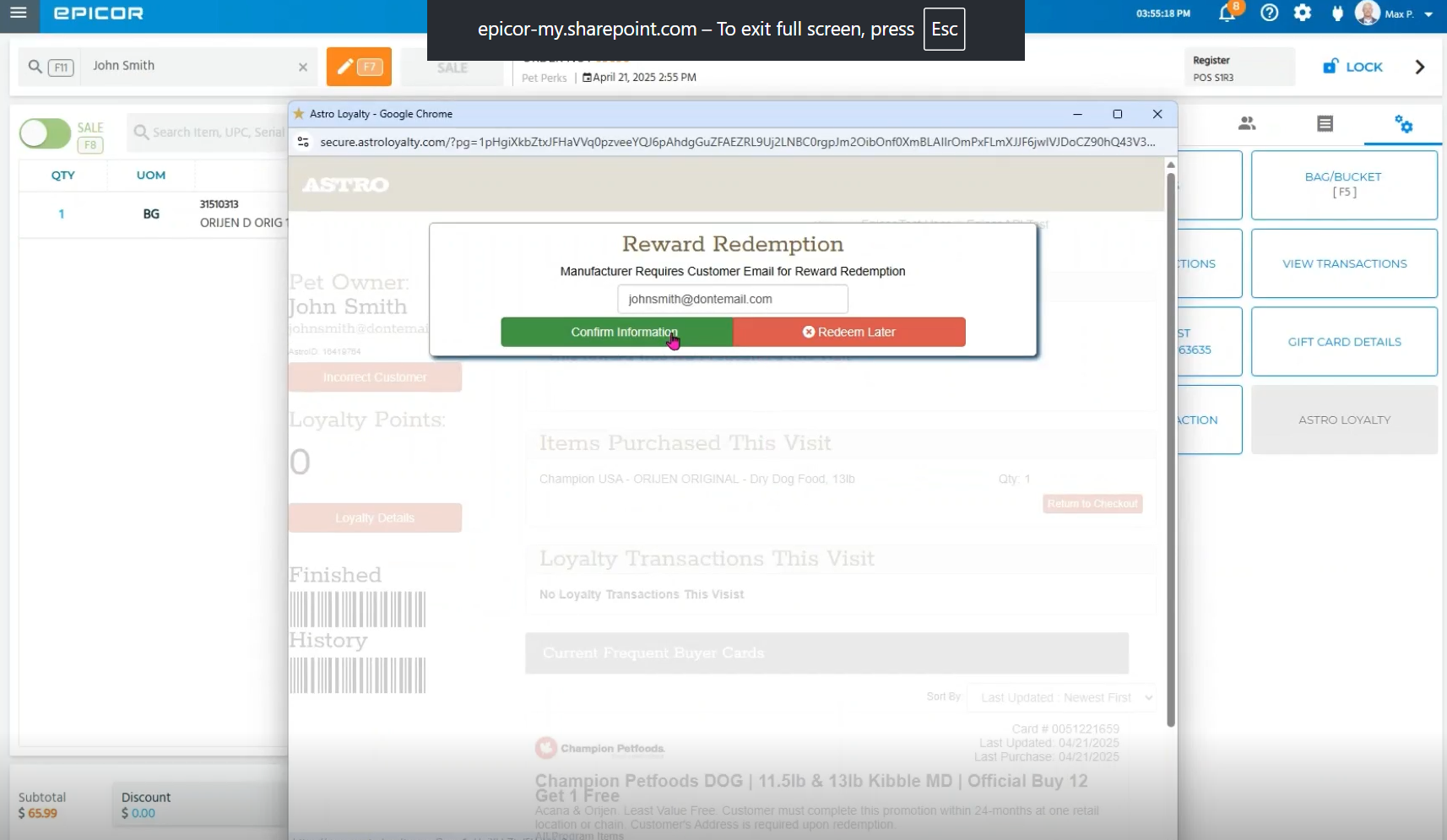
7. Select the item to redeem on the Redemption Reward.
8. Select Finished.
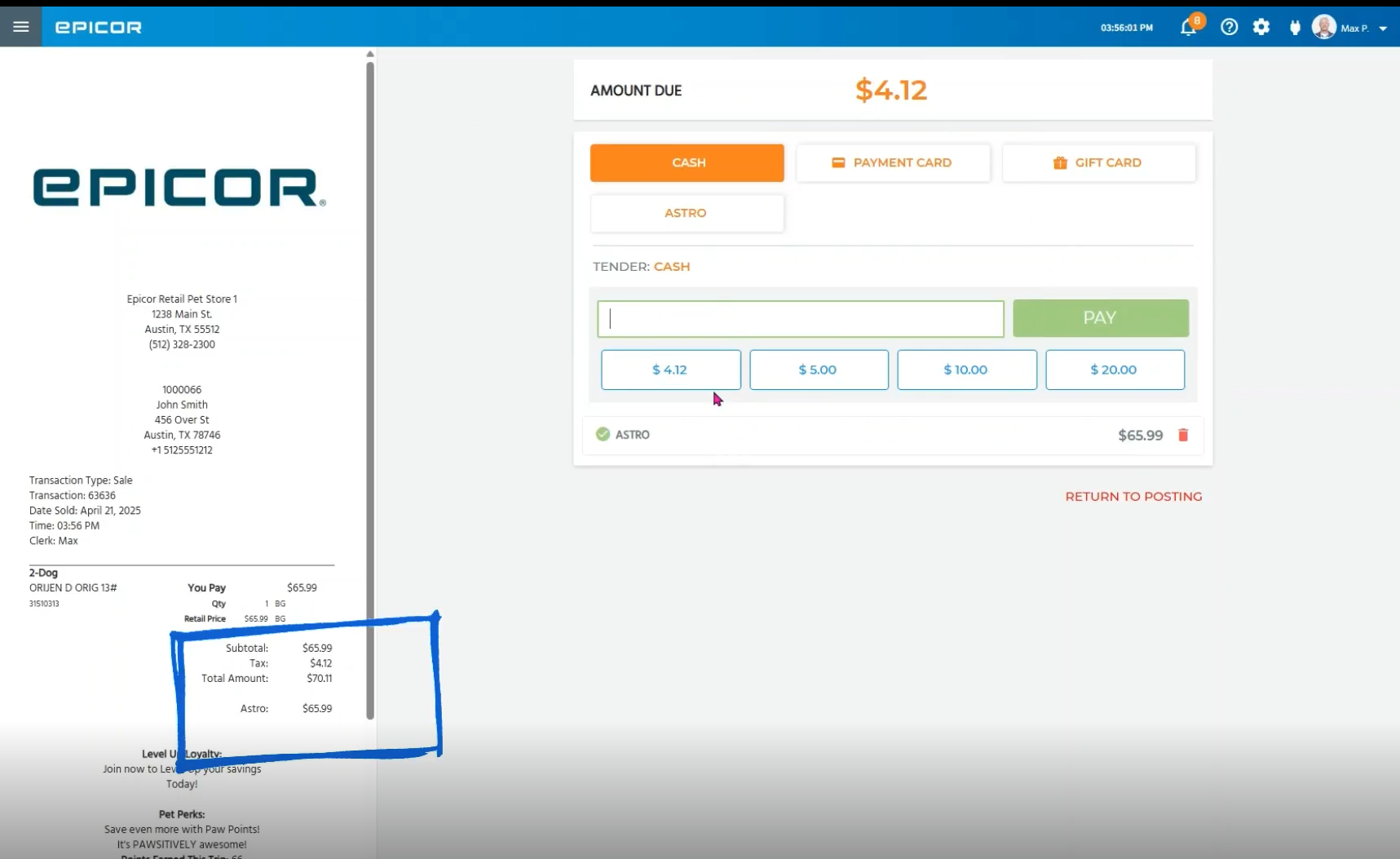
9. Now you need to manually apply the discount to the sale via the Astro button. We recommend referring to your tax laws in your state about discounting free goods.
10. Once you enter in the discount amount, the receipt will update and you can collect any remaining payment.