Enable & Setup Custom Button | 1 | Lightspeed via iPad | Partial Integration
Enable Lightspeed on Astro Account:
2. On your web browser, log into Astro and Go to
Actions> Enable Lightspeed
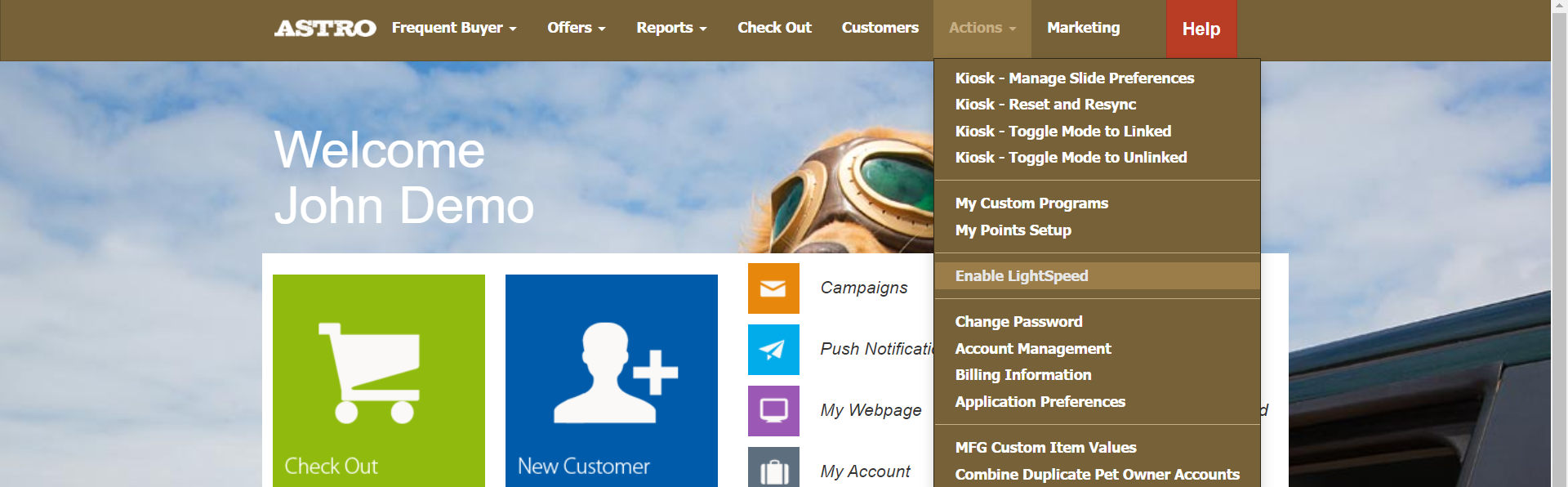
3.
Select "Click Here" to activate the Lightspeed API

4.
Sign into your Lightspeed account.
*If you have issues logging into your lightspeed account on this step, please contact Lightspeed Support:
5. Select
Authorize Application.
6.
This will redirect you to Astro where you see detailed step by step instructions on how to create a new Button for Astro Loyalty on your Lightspeed account.
How to Create a Custom Astro Button:
1. On your
ipad, go to
Manager in Lightspeed app.

You will need to be in Manager mode to see the custom button during checkout as well.
2. Go to Settings.
3. Scroll down and select Custom Menus.
4.
You will need to create this button on both the Sale Tab and the Refund Tab. The button setup will be exactly the same on both tabs.

The Sale button will add Frequent Buyer purchases to your customers' cards and it will reward them the appropriate amount of points based on their purchase if you are running Astro Points. The Refund button will remove the appropriate amount of points based on their return if you are running an Astro Points program, but it will not remove items from the customer's cards - the cashier will need to do this manually to ensure that the correct item they are returning is removed.
5. Under Add New Button:
- Change Title: Astro Loyalty
- Change Type: Open Web Page
- You can select any color for your button
- Then click on "Add Button to Menu"
6.
Edit the Astro Loyalty button.
If you are using Employee Pins, please view this article for the correct URL:
Setup Custom Button Using Employee Pins | Lightspeed Integration
8. Save Changes. *You do not need to change or select anything else on this page.
9. Now you will see an Astro Loyalty button on your Sales screen.
Repeat these steps to create a button on your Refund tab.